Wishlist from multiple sites
How to Make a Wishlist From Multiple Sites
By Carlos Tenor · Published 2026-06-17 · Last reviewed 2026-11-05
To make a free wishlist from multiple sites, create one list, paste each product link, check the saved details, and share the list’s URL. Keep a book from Amazon beside an Etsy find or a local shop link, with the exact size, color, or edition in the notes.
Create a free multi-store wishlistSign in by email to make your list. Friends can view the shared link without an account, then buy from the original stores.
Example wishlist · Three stores
See a wishlist before you make one
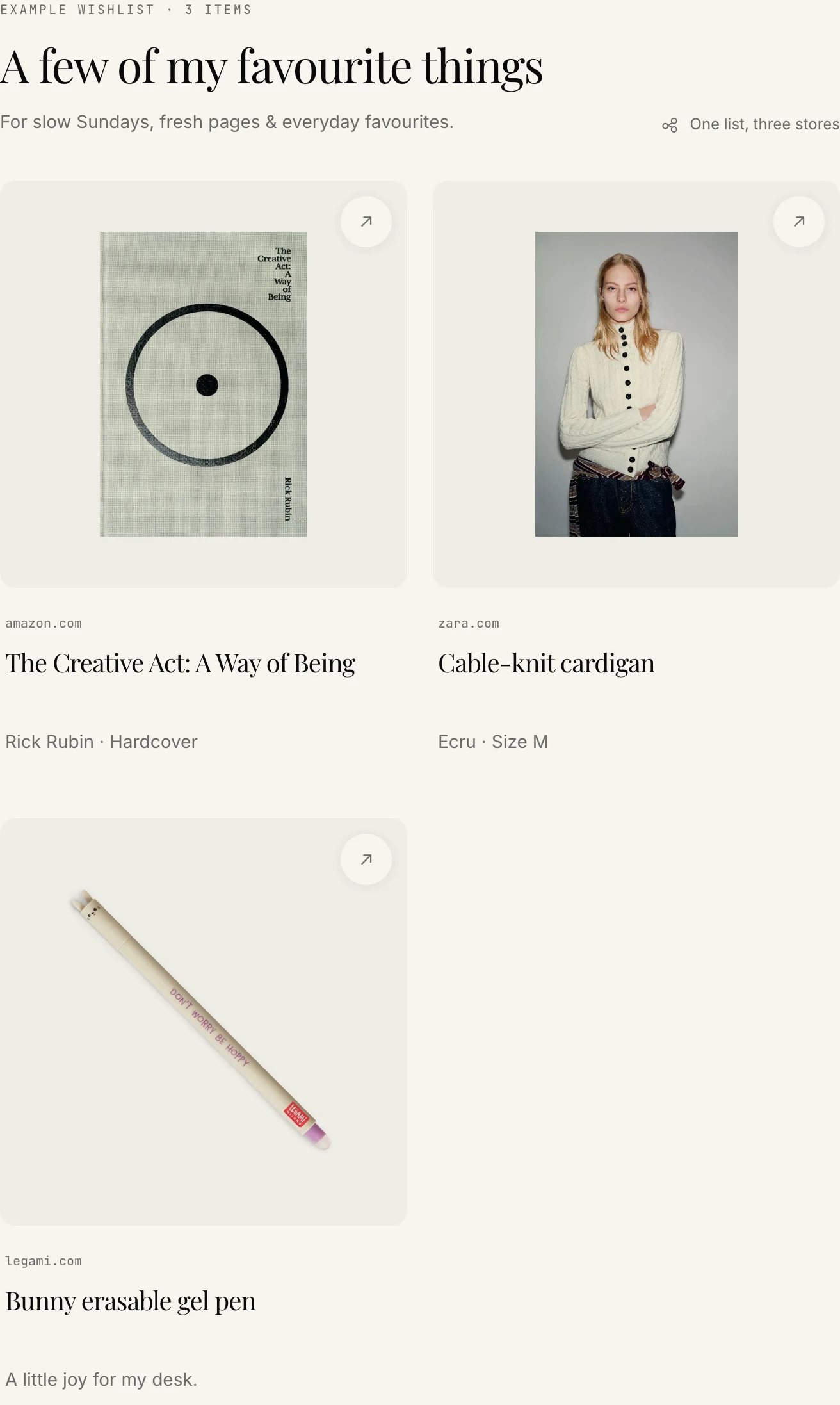
A book, a cardigan and a little something for your desk. Open this read-only demo to see how product links and notes sit together.
Why a multiple-site wishlist can be useful
Store-specific wishlists are convenient until the exact thing you want lives somewhere else. One person might prefer Amazon shipping, another might want an Etsy handmade item, and a third might need a local shop link.
A multi-site wishlist keeps the buying instructions together. Guests see the product, the source, the price if available, and your notes without hunting through several separate lists.
Walkthrough: three stores, one wishlist
This example combines a book, a handmade mug and a jacket. Use products you have actually chosen; the example does not endorse a retailer or guarantee its page can be imported automatically.
- Create your list. Sign in using the link sent to your email, create a wishlist and give it a clear name such as “Birthday ideas”. You can make separate lists for separate occasions.
- Open the book’s product page. Copy its public product URL, rather than a search results page, cart or account page. Paste it into the list’s add-item field and submit it.
- Check what was saved. Compare the name, displayed price and image with the source page. Edit the name to identify the book and put the ISBN or edition in the notes if that distinction matters.
- Repeat with the mug’s listing. If a marketplace listing has options, record the colour, capacity and acceptable alternatives in the notes. A URL alone may not preserve a selected variant.
- Add the jacket from the brand’s shop. Record size and fit explicitly. Check whether the copied link works when you are signed out of the retailer; a personal session or shopping-cart URL is unsuitable.
- Review price and delivery expectations. A displayed price is a saved snapshot. Check currency, delivery charges, stock and returns on each retailer’s page; QuickWishlist does not calculate a multi-store checkout total.
What the three finished entries should communicate
Book · public bookshop page
Name: the full title. Notes: “Hardcover, this edition; another shop is fine if the ISBN matches.” Recheck the source for today’s price.
Mug · marketplace listing
Name: the exact design. Notes: “Blue glaze, approximately 350 ml; a similar plain design is fine.” Handmade stock and production times can change.
Jacket · brand product page
Name: the model. Notes: “Medium, navy, regular fit. Please check delivery and returns before ordering.” Do not assume the link selects those options.
These are copyable examples for your notes, not live products, current offers or integrated retailer partnerships.
When to use a multi-site wishlist
Christmas and birthdays
Mix practical Amazon items, Etsy finds, clothes, books, subscriptions, and experiences without sending people multiple lists.
Weddings and baby registries
Use one registry for essentials, handmade items, favorite small brands, and regional shops that do not belong to one registry network.
Personal purchase planning
Save future purchases from many sites, compare options later, and avoid losing product tabs.
What happens when a store blocks metadata
Some retailers hide product metadata, change markup often, or show different HTML to automated fetchers. That can make automatic extraction imperfect. QuickWishlist still keeps the original URL, and you can edit the item name, displayed price, notes, and destination URL. The current web interface does not offer manual image editing.
That matters because the list remains useful even when a shop is difficult to parse. The exact product link is the source of truth.
Fix a missing detail without losing the useful link
- The title is generic or the price is missing
- Open the original shop page, confirm the product and edit the saved name or displayed price. If the price is uncertain, explain that in the notes instead of guessing.
- The picture is wrong or absent
- Make the product name and notes specific enough to identify the item. The web interface has no manual image editing; the original product page remains the place to inspect it.
- The URL is rejected or the page needs a login
- Use a public product page rather than a private account, checkout or local-network address. If there is no accessible product page, choose another public source. Automatic import is not guaranteed for every site.
- The shop changes the price or sells out
- Review the saved item before sharing again. Update its details, add an alternative link, or remove it if it no longer fits. Saved items are not live stock or price feeds.
Before sending the list
- Check each destination still opens the intended product and that sizes and alternatives are written down.
- Keep delivery addresses and other sensitive details out of the list: anyone with its URL can view it.
- Explain that purchases happen on the linked shops. QuickWishlist has no checkout, gift reservation or duplicate-purchase prevention.
- If several people are buying, agree on a coordinator or a separate conversation so two people do not buy the same gift.
Still choosing which ideas belong on the list? The universal wishlist planning guide includes a budget approach and a copyable note template.
Multiple-site wishlist FAQ
How do I make a wishlist from multiple sites?
Use a universal wishlist maker, paste product links from each site, review the title and price, and share one link instead of several store-specific lists.
Can a wishlist link to Amazon and Etsy at the same time?
Yes. QuickWishlist can store Amazon links, Etsy listings, independent shop pages, and many other product URLs in one wishlist.
Can I create a wishlist from multiple sites for free?
Yes. QuickWishlist is free to create, edit, and share a list with public product links from different stores. You sign in by email to manage the list; people viewing your shared link do not need an account.
What if a site blocks product details?
You can still add the original link and edit the stored name, displayed price, notes, or destination URL. The current web interface does not offer manual image editing.
Related wishlist guides
Christmas
How to Make a Christmas List in 7 Steps
How to make an online Christmas list, choose gifts across budgets, and share one family link with products from multiple websites.
Birthdays
How to Make a Birthday Wishlist in 6 Steps
A practical guide to making a birthday wishlist online with gift links from multiple public websites.
Universal lists
What Is a Universal Wishlist?
What a universal wishlist is, when it differs from a retailer list, and how to collect public product links from multiple websites.
Put links from multiple stores in one list.
Amazon, Etsy, local shops, and any product link you want to save.
Start a multi-site wishlist